Galaxy Quest
Yesterday was Pi Day (March 14, 3.14), and at last we had a reasonably clear sky giving me a chance to try out an equatorial mount for the Dwarf Mini and so use slightly longer exposures. The seeing was marred somewhat by occasional bands of high cirrus, but I did manage to image some galaxies and a star cluster. But first, some notes on mounts.
The Dwarf Mini is motorised on two axes: it can spin round arbitrarily through the vertical axis, and modify the elevation by up to 225°. Placing the scope on a flat surface gives you an alt-azimuth mount, where, to compensate for the Earth’s rotation, it will have to slowly rotate through both axes. The disadvantage here is field rotation — objects at the edges of the image will slowly rotate, resulting in ‘trails’ for any stars. The Mini can compensate for this to some degree (hah!), but it does limit the length of single exposures to 15 seconds.
Alternatively, you can set up the scope on a tripod and set the vertical axis so it’s parallel to the Earth’s axis of rotation — this is an equatorial mount. In other words, point it at Polaris, the pole star (or just offset, to be accurate). This means that only one axis needs to rotate to match the Earth’s spin, and avoids any problem with field rotation. The maximum single exposure then goes up to 180 seconds.
To set up for an eq mount, attach the Mini (securely!) to the tripod — it has a standard screw fitting on the bottom — and ensure the tripod’s mounting plate is level; fortunately, our tripod (a Manfrotto) has a built-in spirit level.
Next, power up the Mini and connect to the app. Select Deep Sky, and use the 3-dot menu icon on the left to select EQ Mode. The scope will then walk you through the steps needed to align it correctly. Note that the pole star doesn’t have to be actually visible for this to work! It will examine the star pattern and work out where it’s pointing, then give instructions like “rotate the tripod head clockwise by about 9°” and “tilt it downward by 3°”, with helpful illustrations. It’s very easy to do, and only takes a few minutes.
I started the session with a look at the colourful Praesepe or Beehive star cluster in Cancer, aka M42:
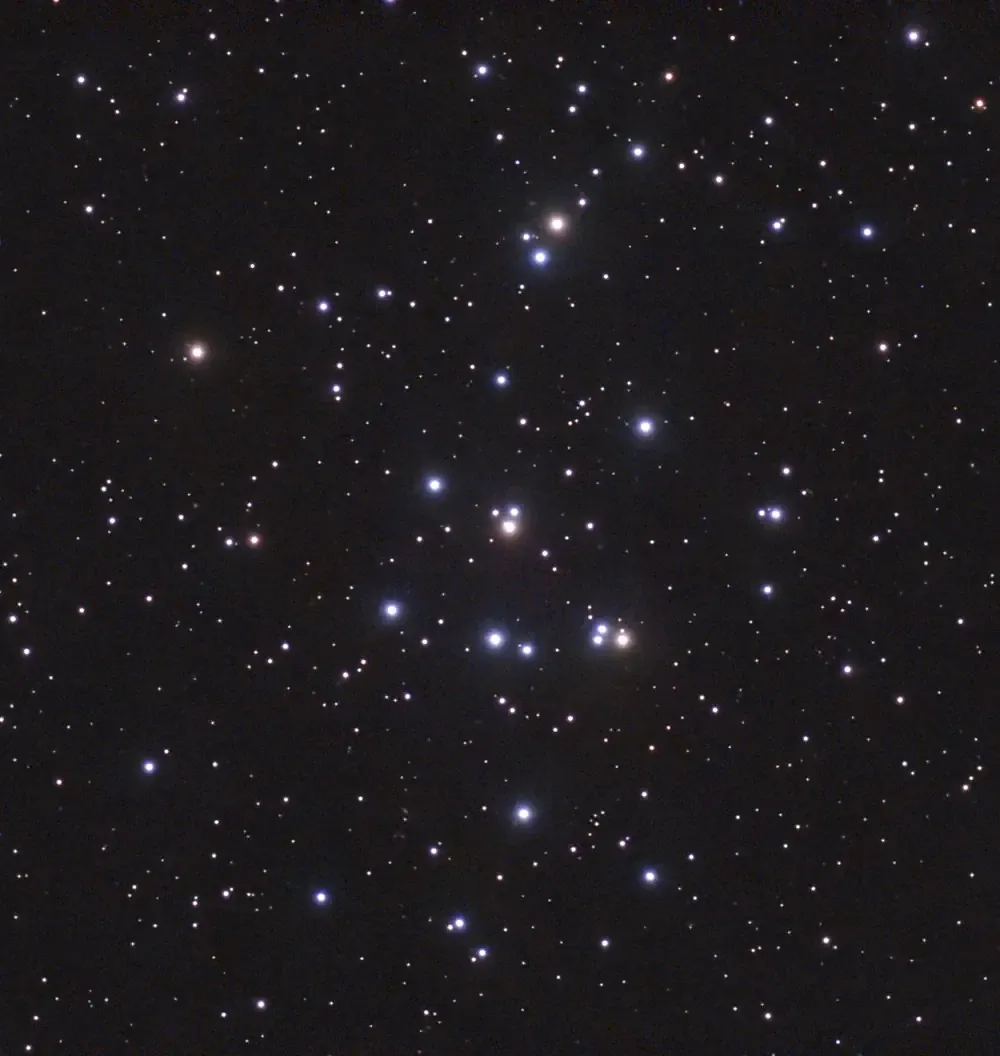
I took 50 images, with only one failure. They were 30-second exposures with gain 90. No processing here, but it’s been cropped (all image adjustments were done in PhotoDesk).
Next up, the Pinwheel galaxy in Ursa Major, aka M101:
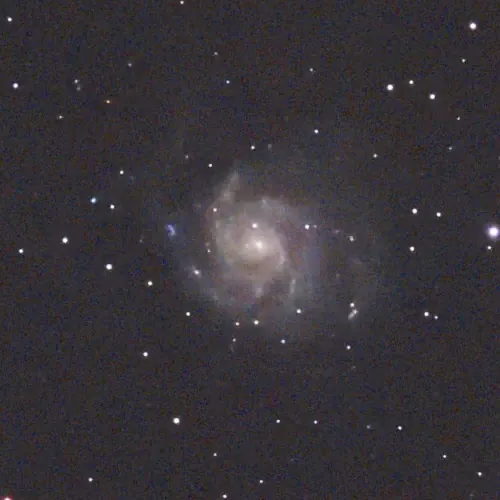
50 30-second exposures again. Cropped, and equalised and gamma boosted a bit. This suffered from the high cirrus problem (hence the noisy image and the slightly blurred stars), and would benefit a lot from more exposures.
Here’s Bode’s galaxy, M81 in Ursa Major, with M82 at lower left:
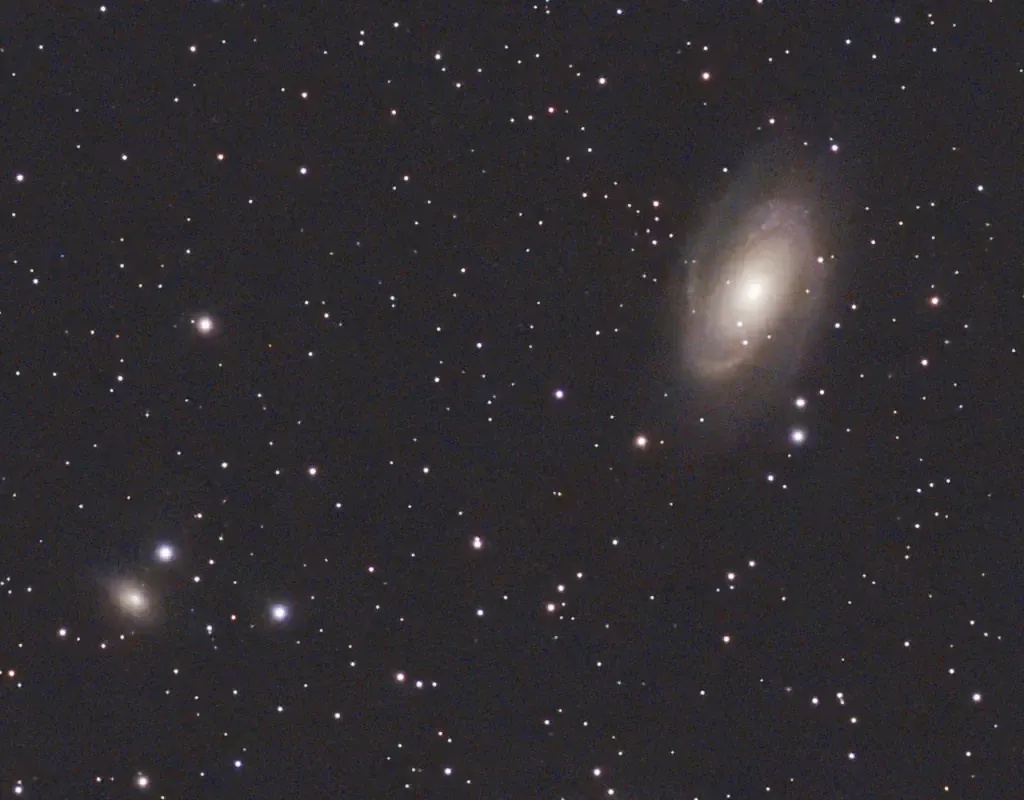
50 30-second exposures with one failure. Cropped, and a small equalisation.
Lastly, a bit of a failure due to cloud cover — I had to abort this one after only 18 shots. It’s NGC 3628, aka the Hamburger galaxy in Leo (at the top):
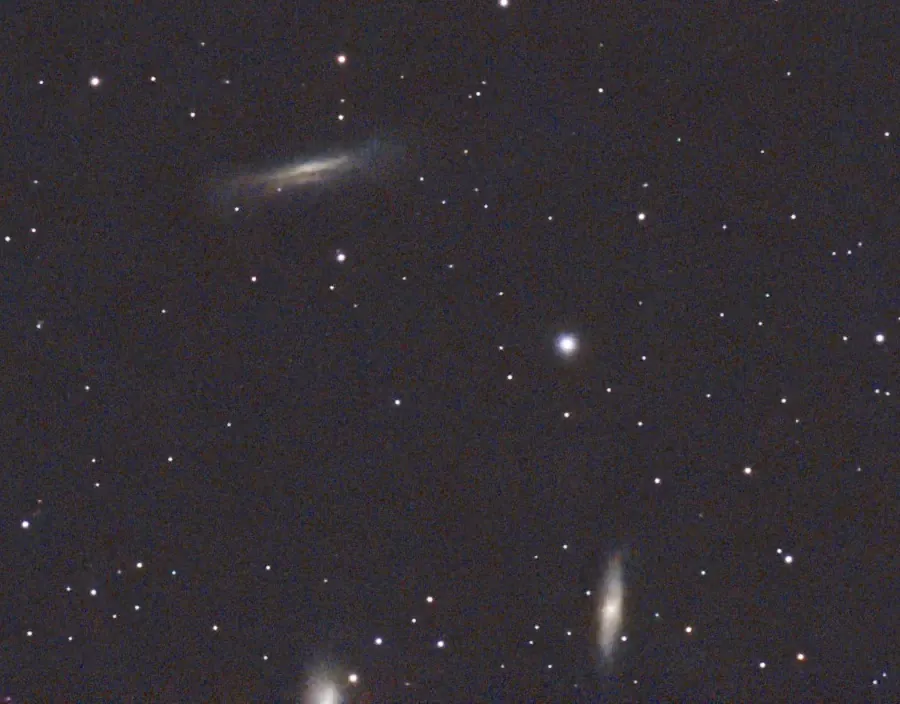
Cropped, and some gamma adjustment to bring out the colour. If I’d realised there were some other galaxies nearby (they’re the Leo Triplet) I would have re-centred to include them. Next time…